Configuration Tools
A configuration tool to configure attributes into archiver.
EDA Configurator
Configure Archiving
A simple web-based application that accepts files containing the configuration of the attributes that the archiver should archive and configures the relevant EDA components. Below are the steps to access EDA configurator tool.
How to access EDA configurator tool
Steps to access configurator deployed inside cluster.
Once deployment is completed , insert the details in below link to access configurator tool.
http://configurator.{KUBE_NAMESPACE}.svc.cluster.local:8003
KUBE_NAMESPACE: Namespace of the deployment
please note: VPN access will be required to access the link.
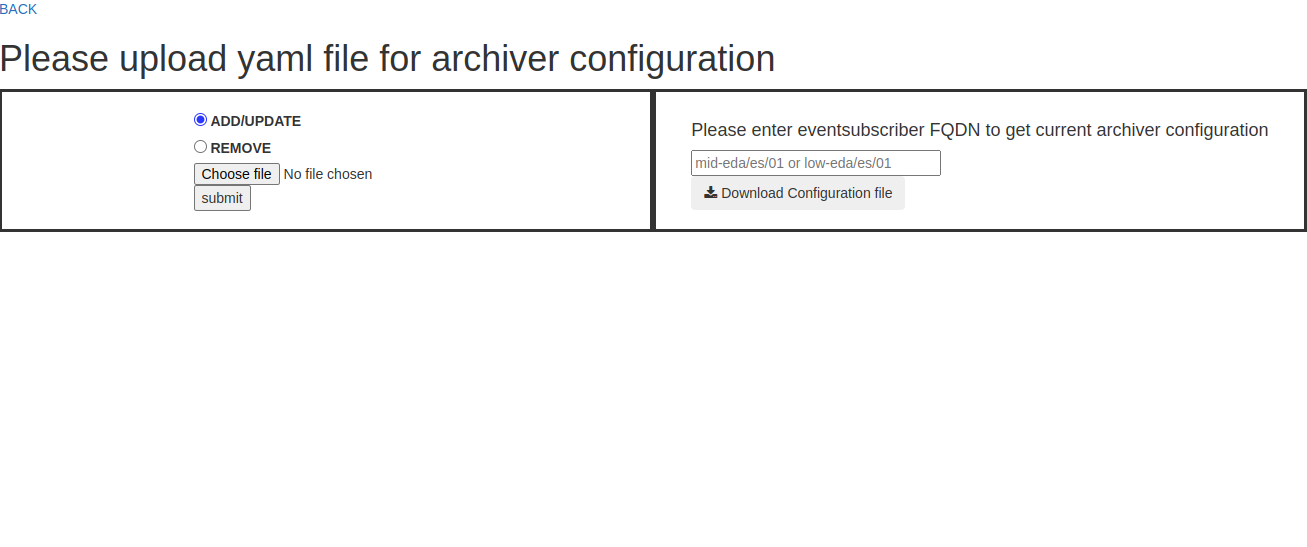
Link will load the UI as shown above.
Steps to access configurator tool locally.
Once deployment is completed, execute
minikube service configurator -n <KUBE_NAMESPACE> --urlto get the url of configuration tool.Click on the link, then the title page that would be followed by configurator tool UI as shown below will appear.
HOW TO CONFIGURE
EDA configurator tool accepts yaml file of a specific format to configure attributes into the archiver.This yaml file can be provided using GUI or using curl or http clients.The tool is able to add, update and remove attributes based on the option provided by the user.User needs to provide yaml file and options such as add_update or remove according to operation need to be performed.If configured using GUI,the output would be visible in GUI as a table entry.If configured using curl or http clients,the output will be visible as json format.User can upload the yaml file containing attribute configurations and choose one of the option [add/update,remove].
Configuration File Format
Following example shows yaml format required by the configurator tool.Few details of the values in yaml file:db = This key requires IP address of tango databaseds where configuration manager and event subscriber are present. Note:Incase of kubernetes Environment full KUBEDNS of the databaseds is required
manager = This key requires FQDN of Configuration Manager
archiver = This key requires FQDN of Event Subscriber
class = This key requires Name of the Device Server Class
attributes = this key contains attributes of the class defined in class key.
The attributes key is followed by name of attribute like short_scalar_ro and the configuration of that particular attribute.
Configuration of attribute can be different as per user requirement. For example:
archive_period: <value in ms>
polling_period: <value in ms>
archive_rel_change: <offset value>
archive_abs_change: <offset value>
archive_strategy: SERVICE/ALWAYS/RUN/SHUTDOWN
archive_strategy defines in which context attribute should be archived.
db: <TANGO_HOST>.<KUBE_NAMESPACE>.svc.cluster.local:10000
manager: <mid/low>-eda/cm/01
archiver: <mid/l0w>-eda/es/01
configuration:
- class: TangoTest
attributes:
      short_scalar_ro:
      archive_period: 6000
      polling_period: 3000
      archive_strategy: SERVICE
      double_image:
      archive_period: 7000
      polling_period: 3000
      archive_rel_change: 5
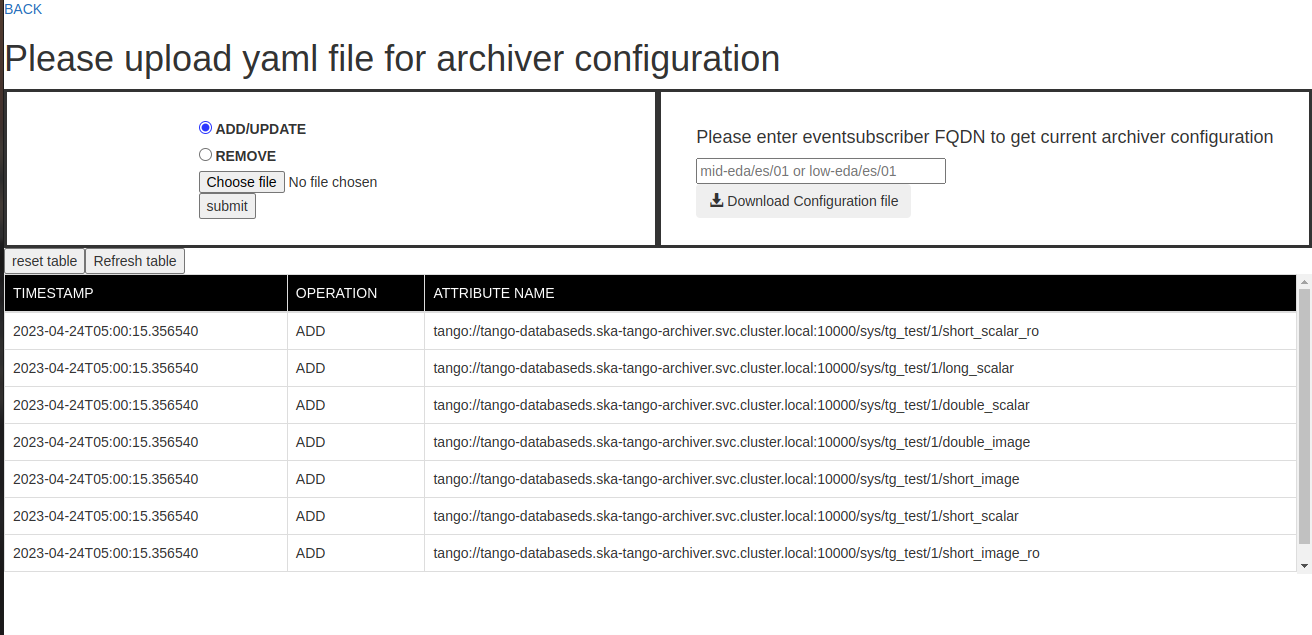
Once submitted , user will able to see table as shown below containing data of attributes archived in the system.
HOW TO DOWNLOAD
User can enter eventsubscriber FQDN in the input box and then click download button to get configuration present in the system.